Auto Disposition

Every call gets a result, without anyone typing it

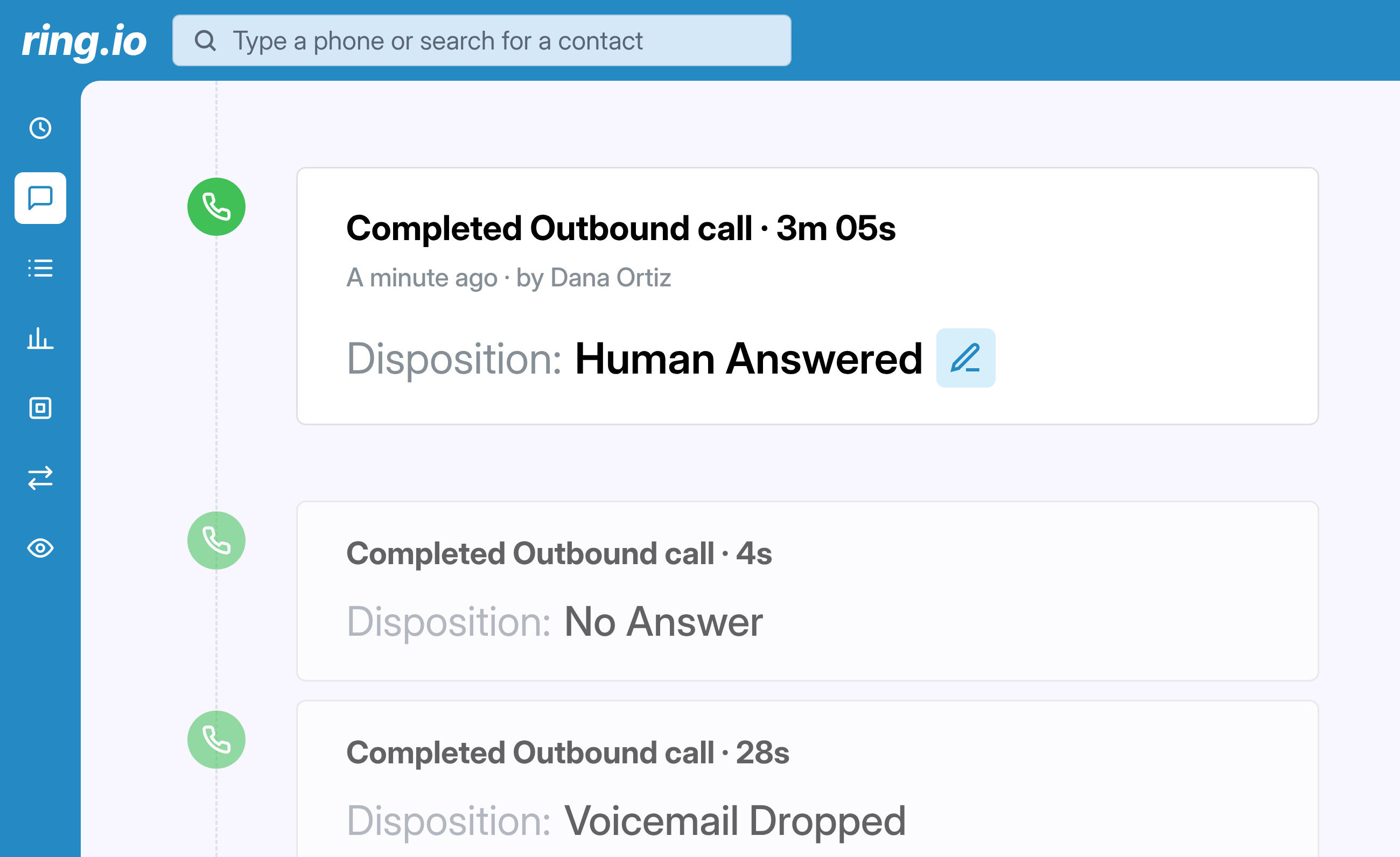
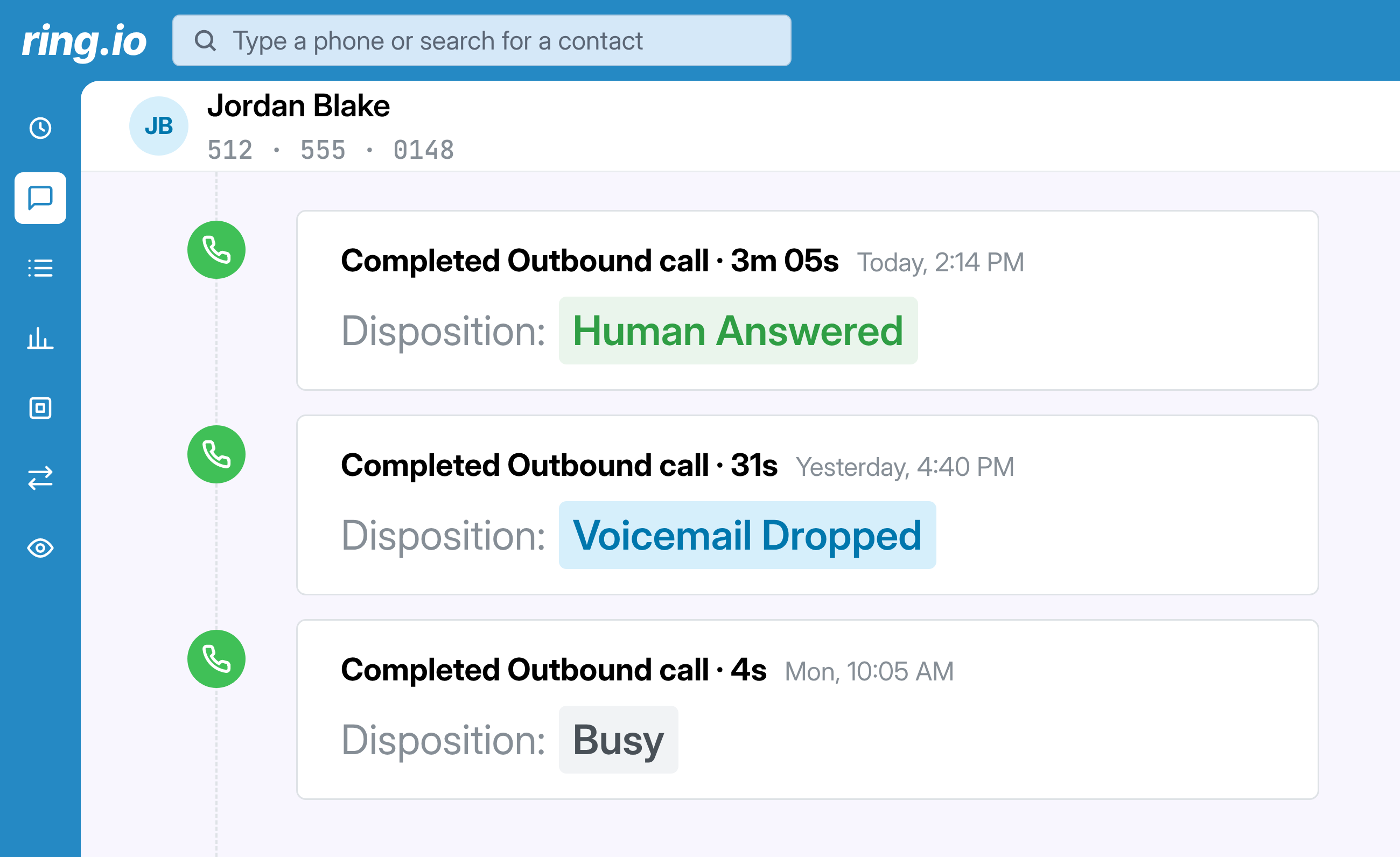
Ring.io sets the disposition on every outbound call the moment it ends: human answered, voicemail dropped, busy, no answer, wrong number and more. Reps stop clicking through a list after each dial, and your call reports stop having gaps.
Blank dispositions turn every report into a guess

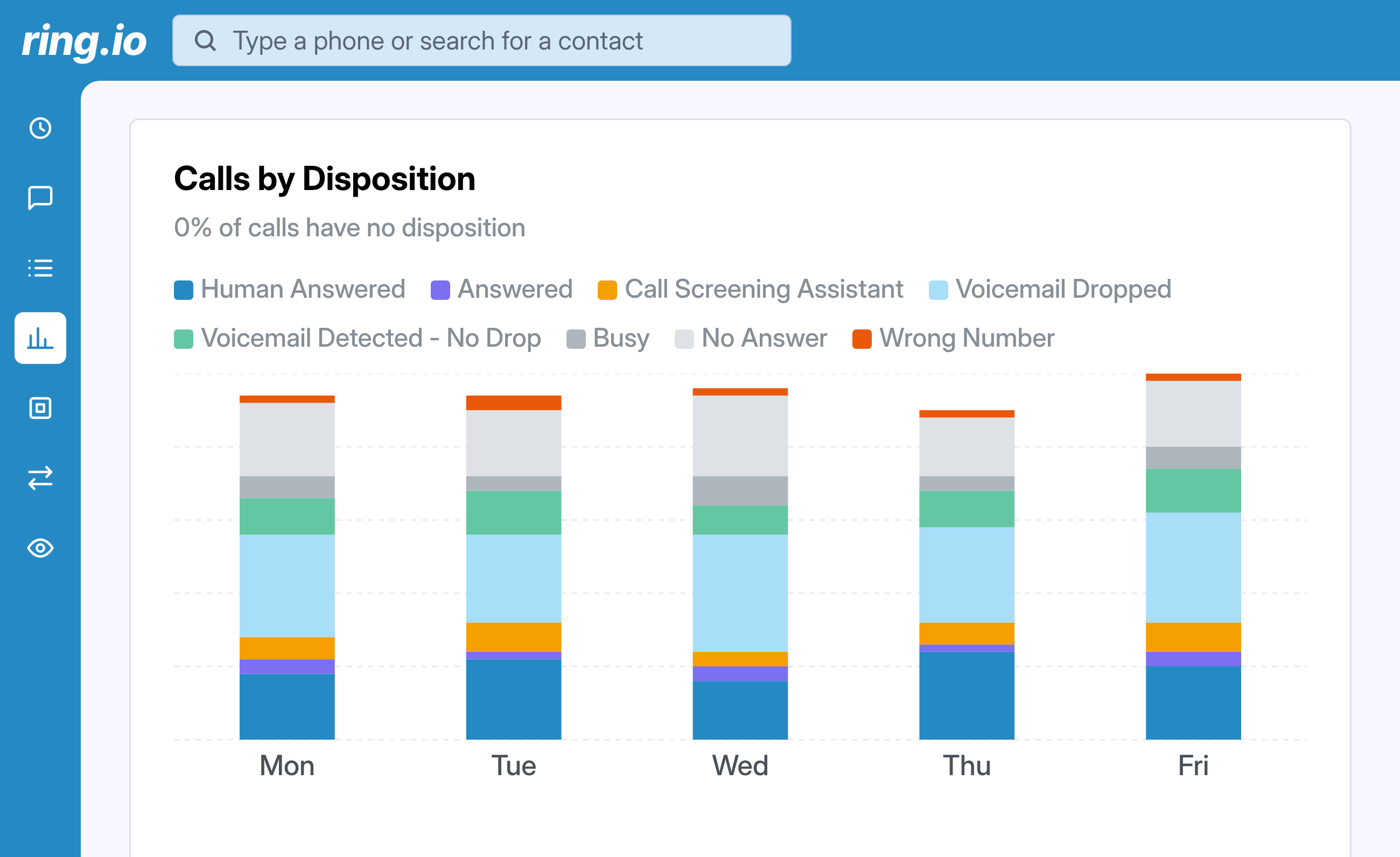
A rep working a dial list makes dozens of calls an hour, and most of them never reach a person. Logging a result for each one feels pointless, so it gets skipped. Your call report fills with calls that have no disposition: you can't tell a voicemail from a wrong number, or a busy line from a call nobody picked up. Auto Disposition fills in the result for every outbound call, so the numbers you coach from are complete.

How Auto Disposition sets your call dispositions

What happens on every outbound call:

  1. A rep calls from Ring.io: by hand, from the Power Dialer or from the AI Parallel Dialer.
  2. When the call ends, Ring.io checks how it ended.
  3. It sets the matching disposition on the call record.
  4. With mandatory dispositions on, calls that reached a person wait for the rep to pick the final result. Everything else is already filled in.
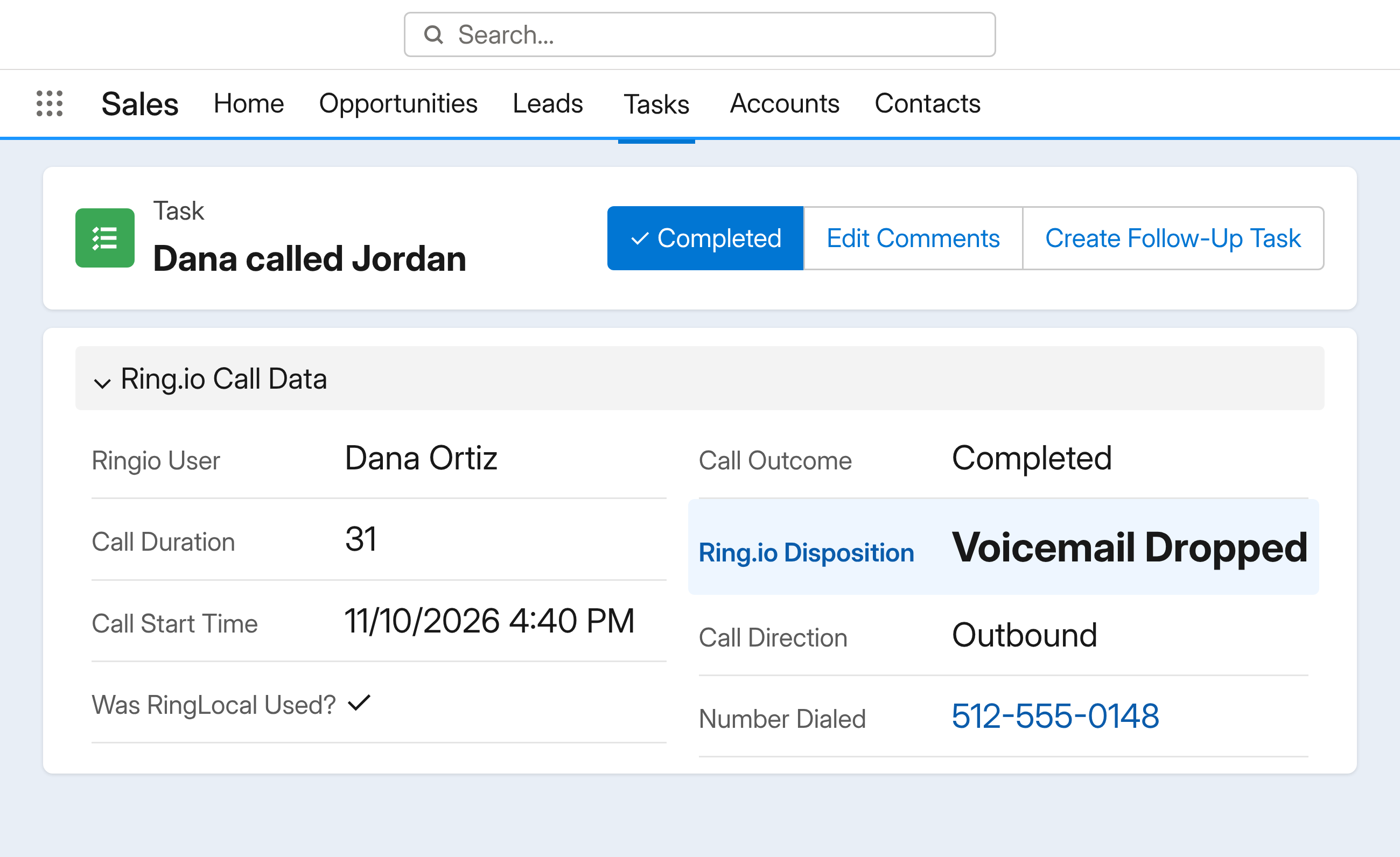
  5. The disposition is logged on the call in your CRM, and can start any follow-up automations you've set up.
  6. Reps and managers can change any disposition with the pencil icon on the call.

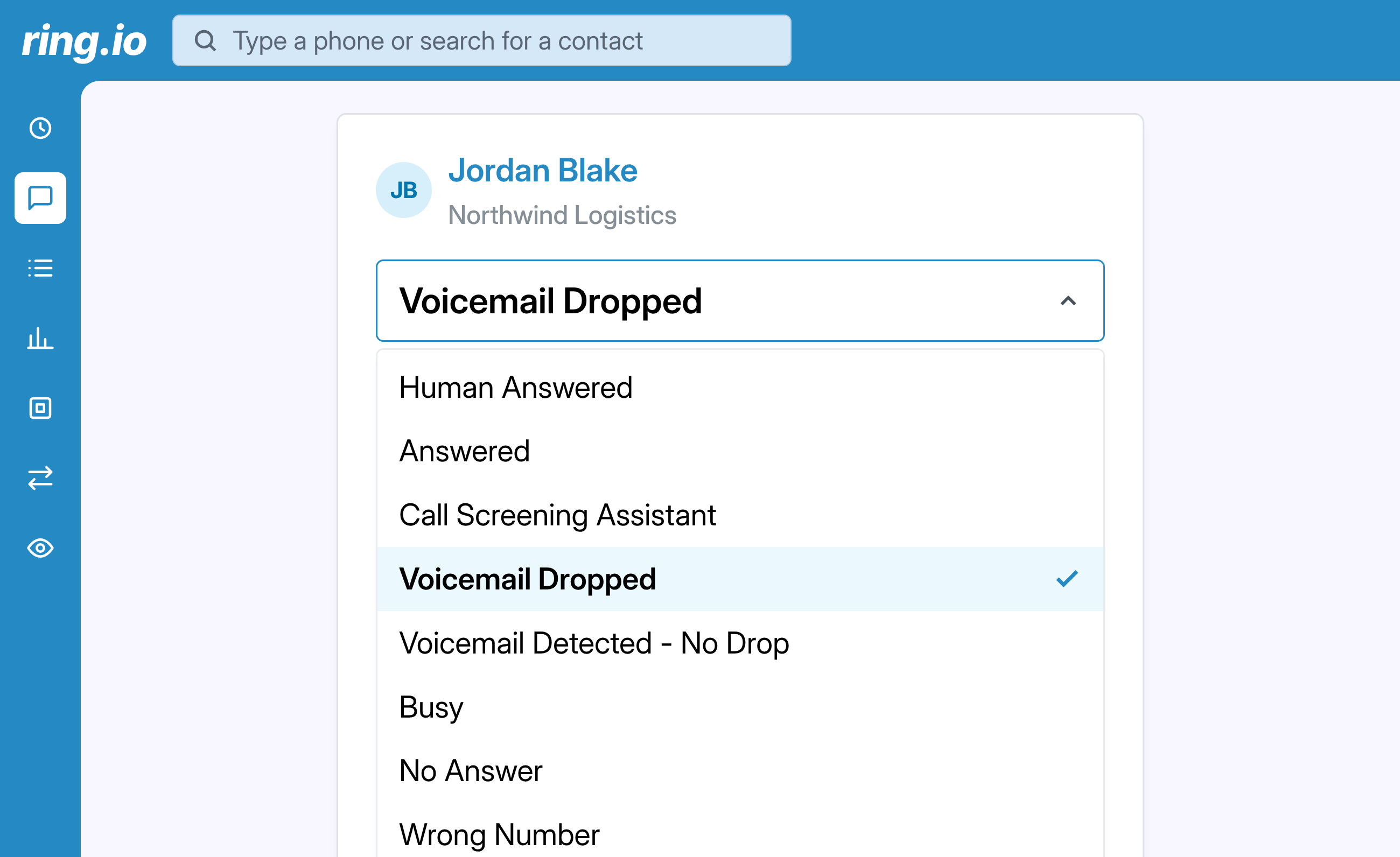
The dispositions Ring.io sets:

  • Human Answered: a person picked up.
  • Answered: the call was picked up, but not by a person, such as an AI assistant.
  • Call screening: an iPhone or Google Voice call screener answered. See call screening detection.
  • Voicemail Dropped: the call reached voicemail and your recorded message was left.
  • Voicemail Detected - No Drop: the call reached voicemail and no message was left.
  • Busy: the line was busy.
  • No Answer: nobody picked up.
  • Wrong Number: the number didn't belong to the contact.

benefits

The result of every call, filled in for you

Ring.io sets the disposition when the call ends; your reps only decide the calls that reached a person.

A result on every outbound call

When a call ends, Ring.io sets what happened: a person answered, an assistant picked up, a call screener answered, a voicemail was left or detected, the line was busy, nobody answered, or the number was wrong. Manual calls, the Power Dialer and the AI Parallel Dialer are all covered.

Reps only decide the calls that matter

Turn on mandatory dispositions and the calls that never reached a person are filled in for you. Reps pick the result only when they actually spoke to someone. Any automatic disposition can be changed in one click.

Call reports with no gaps

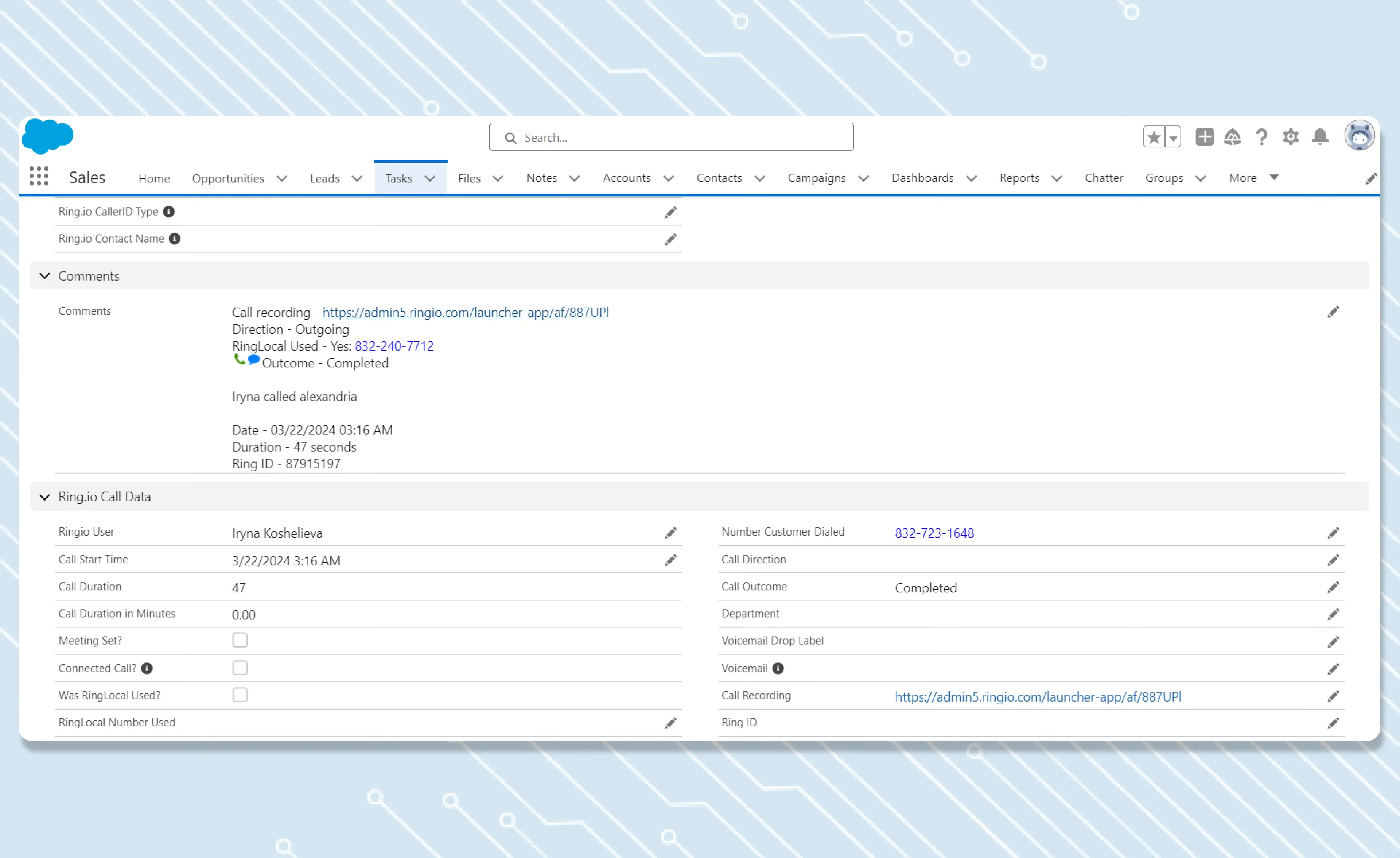
Calls by Disposition stops showing a block of calls with no result. You see how many dials reached a person, how many went to voicemail and how many numbers were wrong, by rep and by day. That is the data you need to fix a list or coach a rep.

Logged to your CRM, ready to start follow-ups

Every disposition is saved on the call in your CRM, so your CRM reports match Ring.io. If you've set up follow-up automations, a disposition can start them, like an SMS after a voicemail, without the rep touching anything.

Reach people, not inboxes.

Calls, email and SMS as steps in one sequence, run from inside your CRM. Start free on one rep, or take 21 days free on a team plan.

FAQs

Auto Disposition

What is a call disposition?

A call disposition is the result logged for a call: who or what answered, and what happened. Teams use dispositions, sometimes called disposition codes, to report on calling, clean their lists and decide the next step for each contact.

Which dispositions does Auto Disposition set?

Human Answered, Answered (picked up, but not by a person), Call screening, Voicemail Dropped, Voicemail Detected - No Drop, Busy, No Answer and Wrong Number.

How does Ring.io know a call went to voicemail?

Ring.io runs voicemail detection on every outbound call and sets the disposition from how the call ended. No detection is perfect, so reps and managers can change any disposition on the call.

What happens when mandatory dispositions are turned on?

Calls that didn't reach a person get their disposition automatically. For calls where a person answered, the rep still picks the final result, because only they know how the conversation went.

Does the disposition go to my CRM?

Yes. The disposition is logged on the call in your CRM, along with the rest of the call record.

Can I keep my own disposition list?

Yes. Admins decide how Auto Disposition works alongside your account's own dispositions.

Does Auto Disposition work on inbound calls?

Not yet. Auto Disposition covers outbound calls: manual dials, the Power Dialer and the AI Parallel Dialer.

Which plans include Auto Disposition?

Auto Disposition is included on the Growth and Enterprise plans.