AI Call Summaries & Transcription

AI captures what was actually said. Not just what you remember.

Automatically transcribe and summarize every Ring.io call the second you hang up. Critical details like objections, commitments, and next steps sync directly to your CRM. Never manually log a conversation again - just search, download, and act on perfectly accurate call data.
Reps stop typing. Managers stop guessing.

Ditch the notepad. While your reps dial the next lead, our AI handles the CRM data entry. Get speaker-separated transcripts and plain-English summaries instantly. Total visibility for sales leadership, with zero admin work for the team.

The capabilities of Ring.io call transcription and AI summaries

What happens on every call:

  • Built-in automation: No clunky meeting bots or third-party tools. The dialer handles recording, transcription, and summaries natively.
  • Instant AI recaps: Get plain-English summaries, specific next steps, and keyword flags seconds after hanging up.
  • Speaker-separated text: Easily follow the conversation flow with clear speaker tags rather than reading a wall of text.
  • Complete coverage: Works across manual dials, Power Dialer sessions, AI Parallel Dialing, inbound calls, and voicemails.
  • Seamless CRM sync: Summaries automatically log to the contact record in HubSpot, Salesforce, Pipedrive, or Zoho.
  • Global search: Instantly find any word spoken across your entire Ring.io account history.
  • One-click downloads: Export any call transcript as a standard text file.
  • Frictionless manager access: Review team transcripts directly without interrupting rep workflows or asking for links.

How to leverage AI summaries and transcripts:

  1. Prep instantly: Skim a 10-second summary before a cold callback instead of listening to a 5-minute recording.
  2. Verify commitments: Confirm exactly what you promised before hitting send on a follow-up email.
  3. Seamless handoffs: Transfer accounts using a perfect, written conversation history instead of relying on memory.
  4. Real-world coaching: Train new reps using actual, successful team calls from this week, not an outdated training library.
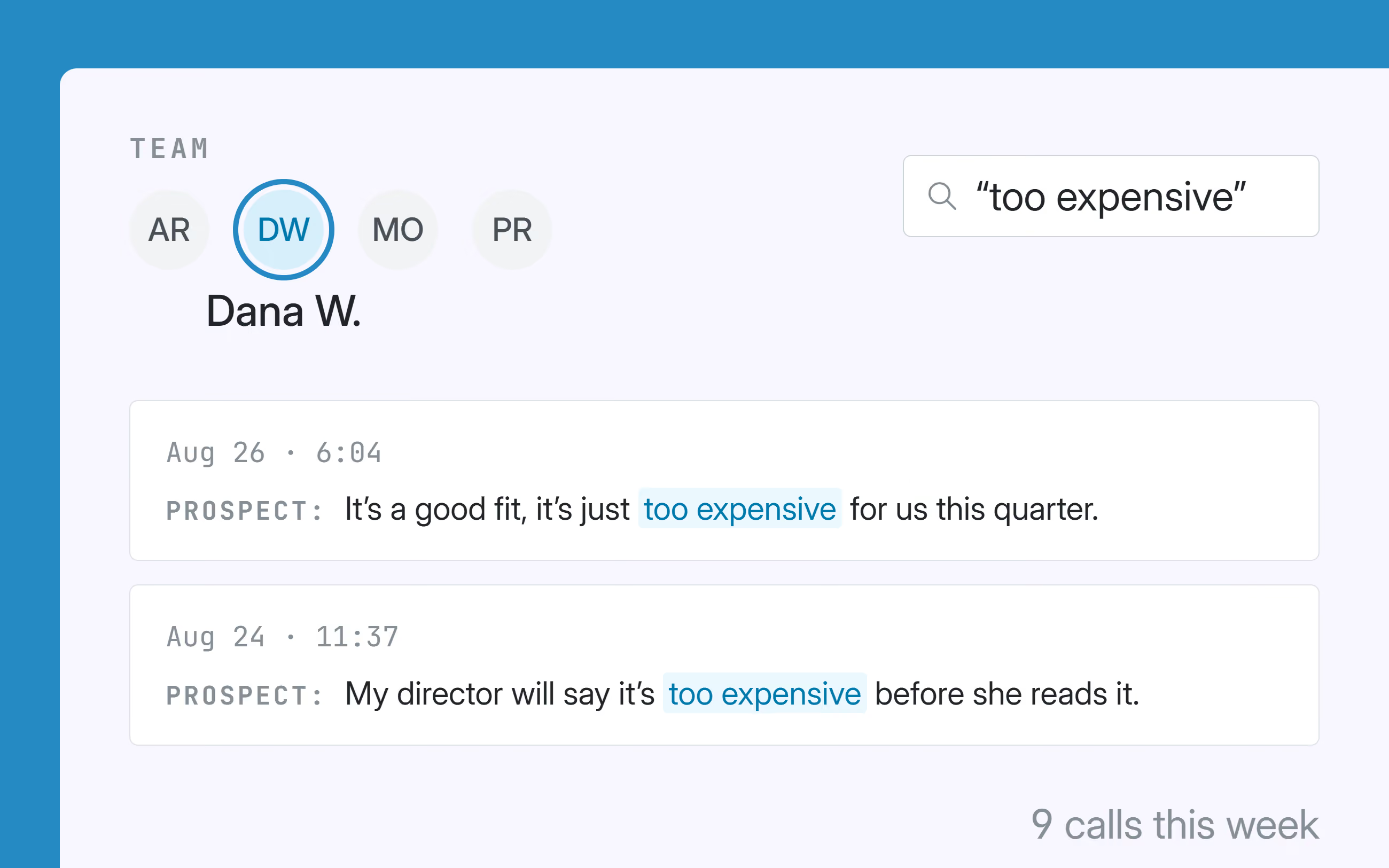
  5. Track market trends: Quickly pull every call where a competitor, price objection, or specific feature was mentioned.
  6. Resolve disputes: Settle "that's not what we agreed on" with word-for-word proof.
  7. Efficient reviews: Audit a rep's entire week without shadowing a single live session.
  8. Pristine CRM data: Keep your database flawlessly accurate without forcing anyone to type out notes.

benefits

Everything that was said, still there tomorrow

Written down on hangup, searchable a month later, on the record either way.

The next step is written down before you forget it

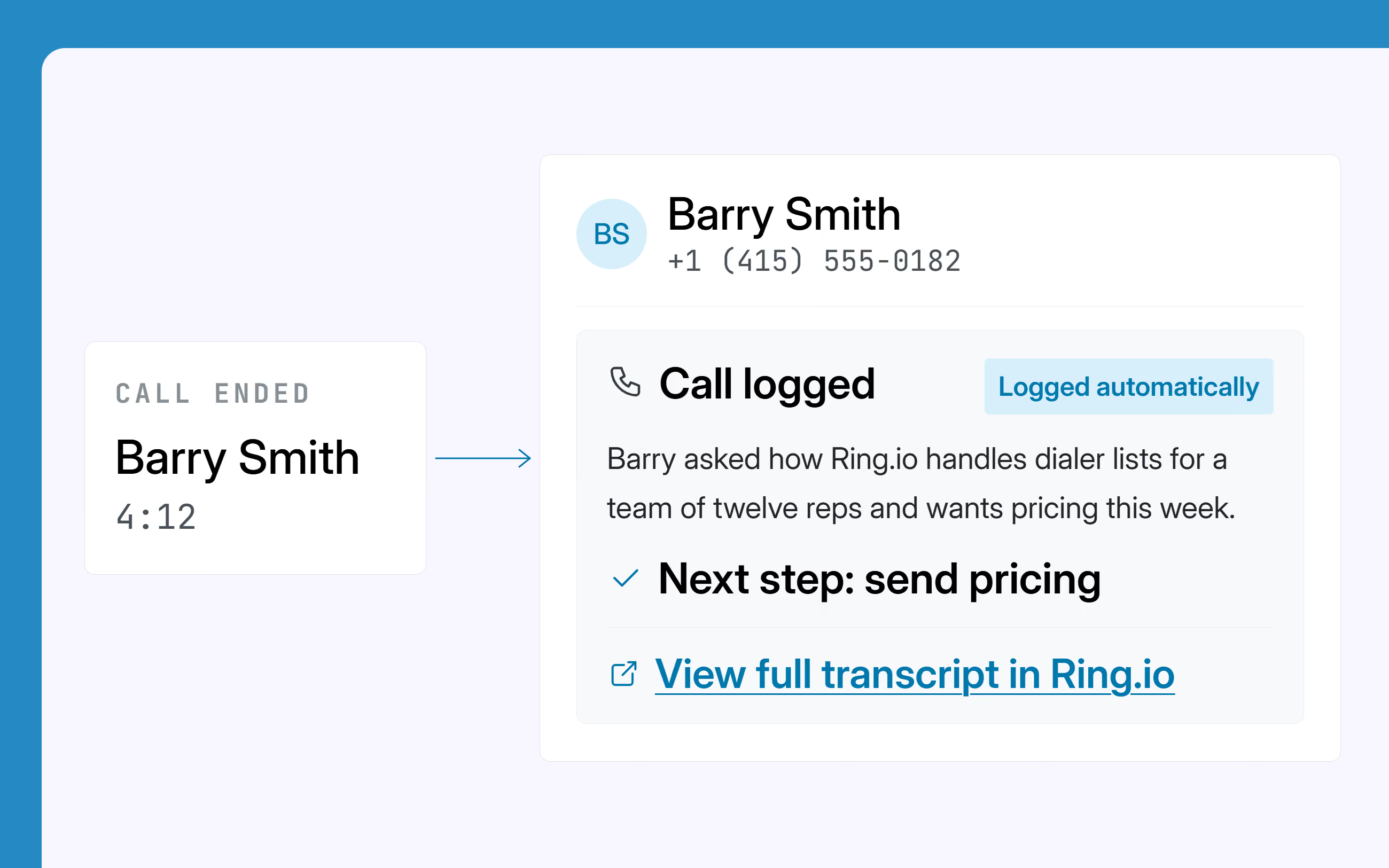
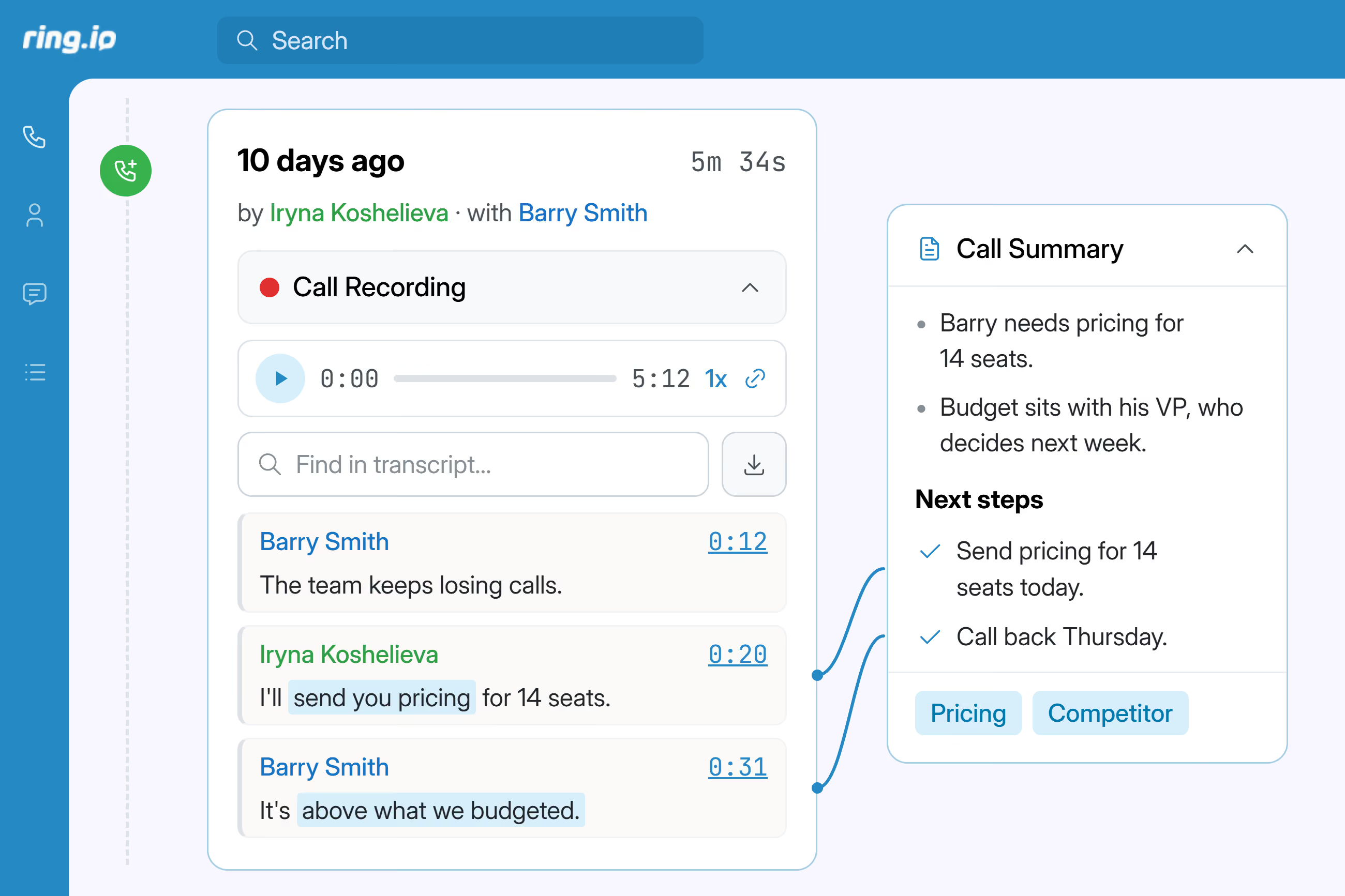
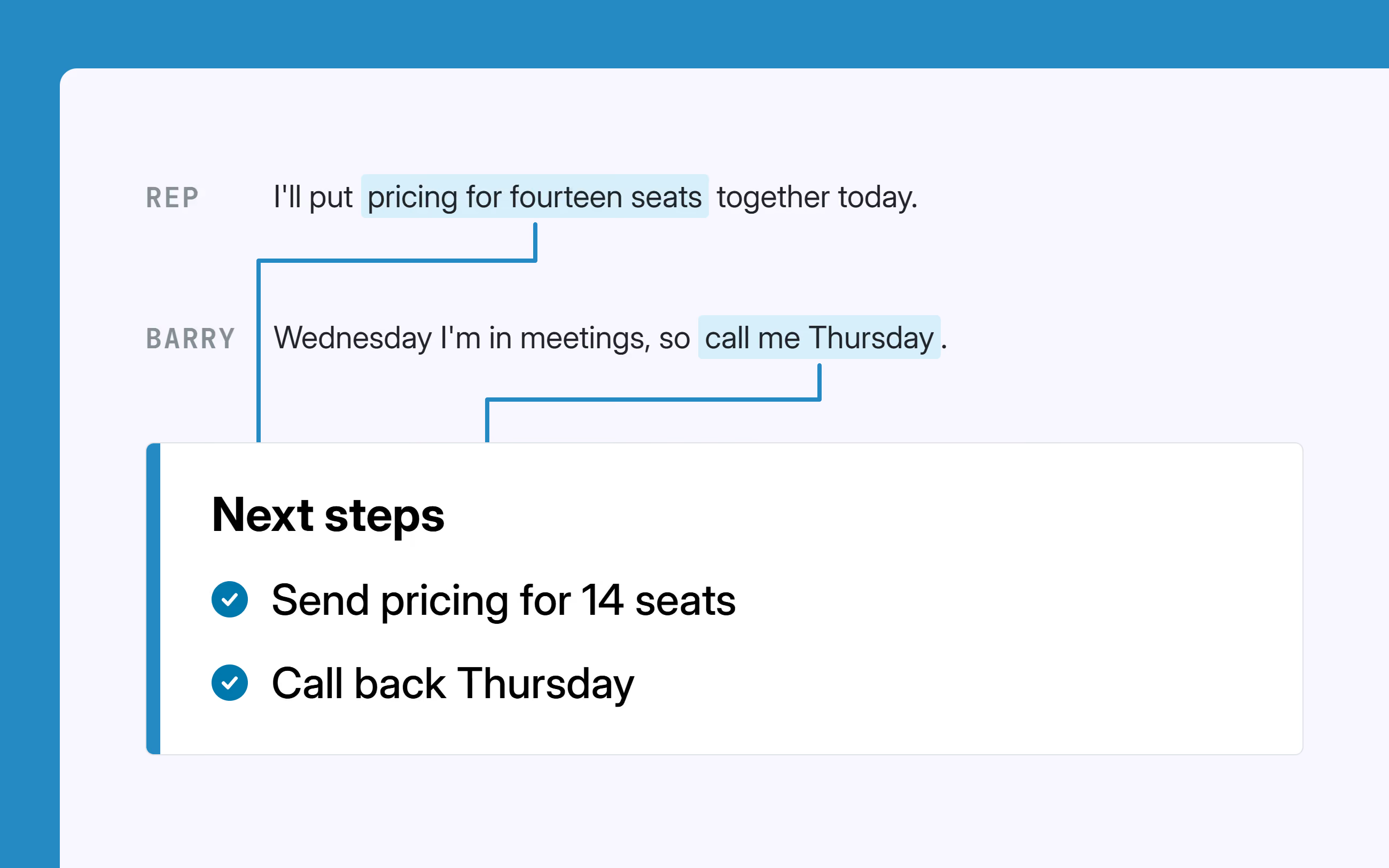
Every summary ends with what you agreed to do - send pricing for fourteen seats, call back Thursday, loop in the technical contact. Taken from what was actually said on the call, not from what you managed to type while listening to it.

Search every call you've ever made, by word

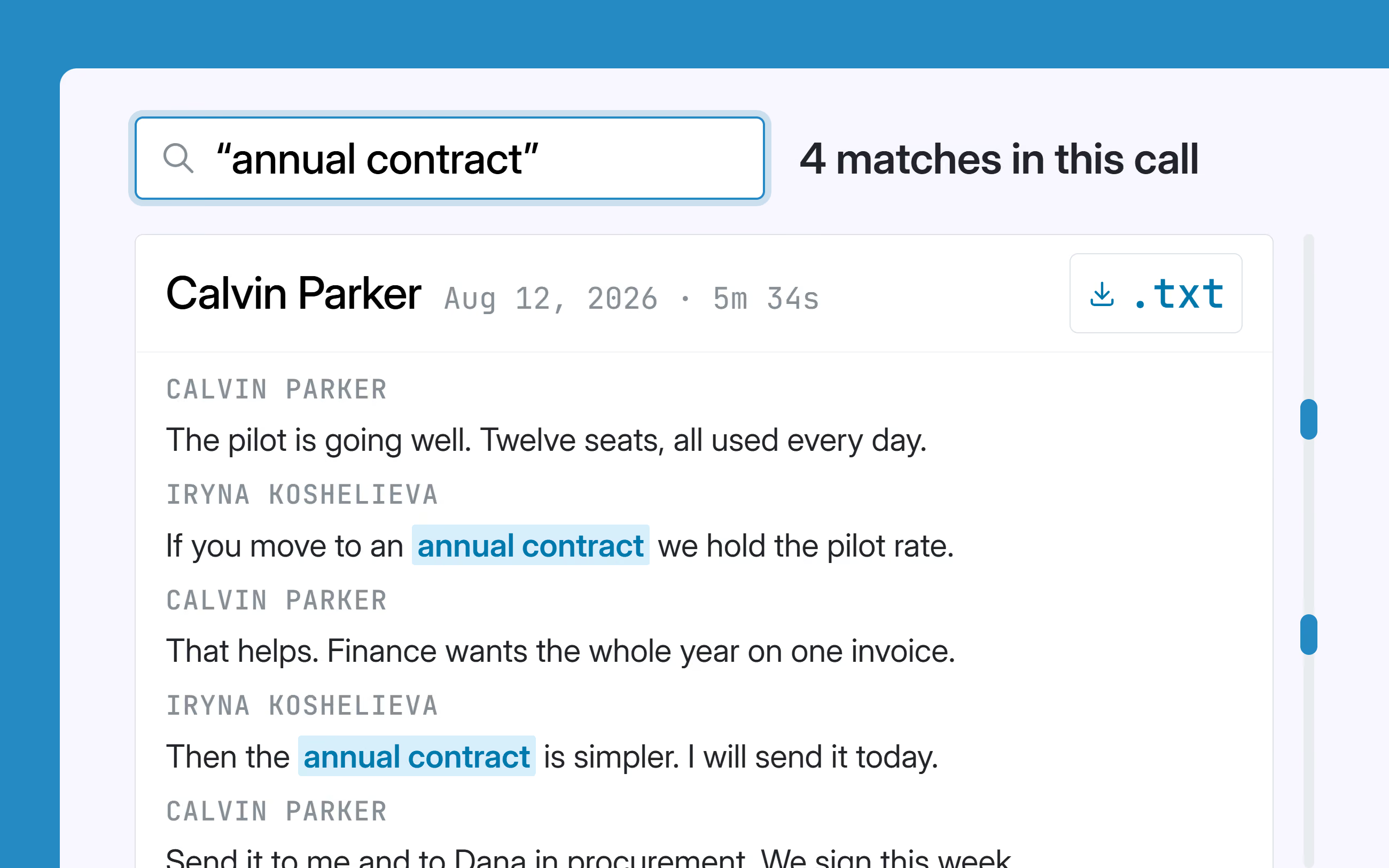
One search box, every call in your account. Type a competitor's name or "contract" and get the calls where it was said - then read the transcript speaker by speaker, or download it as a text file.

It's on the CRM record, not in your head

The summary is written into the logged call on the contact in HubSpot, Salesforce, Pipedrive or Zoho, with a link back to the full transcript in Ring.io. Nobody has to remember to log the call, and nobody has to leave the CRM to find out what happened on it.

Read any rep's calls without asking for them

Managers can open and search the whole team's transcripts. Coaching stops being "send me a call you're proud of" and starts with the call you actually needed to hear - found by searching for the objection the team keeps losing to.

Reach people, not inboxes.

Calls, email and SMS as steps in one sequence, run from inside your CRM. Start free on one rep, or take 21 days free on a team plan.

FAQs

AI Call Summaries & Transcription

What's in a Ring.io AI call summary?

Every summary has three parts: a plain-English recap of the conversation, the next steps that were agreed on the call, and the topics, keywords and objections that came up. It's written from the call's transcript and appears seconds after you hang up. Summaries are currently generated in English.

Can I get a transcript of a phone call in Ring.io, and download it?

Yes. Every recorded call is transcribed automatically, and the transcript is speaker-separated so you can see who said what. You can read it in Ring.io, search it along with every other call in your account, and download it as a text file. Transcripts and summaries are stored in your Ring.io account until the account is closed, the same as your call recordings.

Do call summaries and transcripts appear in my CRM?

Yes. The summary is written into the logged call on the contact's record in HubSpot, Salesforce, Pipedrive and Zoho, so it's readable without leaving your CRM, and the logged call links back to the full transcript in Ring.io. Nobody has to remember to log the call or paste anything in.

Does a call have to be recorded to be transcribed?

Yes - transcription runs on the call recording, so recording has to be on for that call. Ring.io's two-party-consent handling applies to transcribed calls exactly as it does to the recordings themselves; you can read how that works on our two-party consent and call recording pages.

Which Ring.io plans include AI call summaries and transcription?

AI call summaries and transcription are included on the Growth and Enterprise plans, for every user on the account, with no per-minute transcription charge. They're not included on the Startup plan or the free Solo plan.

Which calls get transcribed?

Calls you dial by hand, Power Dialer and AI Parallel Dialer sessions, inbound calls, and voicemails people leave you - as long as the call is recorded.