Track Business Outcomes

Know what your calls were worth, not just how many you made

Ring.io analyzes every outbound call your reps have with a real person, tags what came out of it (a meeting booked, a sale made, information requested) and applies the dollar value you set. Your call reports finally show what calling produced, not only how much of it happened.
Activity reports can't tell you what calling is worth

Most call dashboards count dials, connects and talk time. None of them answers the question that matters at the end of the month: what did all that calling produce? The busiest rep looks like the best one, and the value of a good conversation lives in someone's head or a spreadsheet. Ring.io adds the missing column to your sales call tracking: what each call achieved, and what that is worth to your business.

How Ring.io sales call tracking turns calls into outcomes

What happens on every outbound call:

  1. A rep calls from Ring.io, by hand or from the Power Dialer.
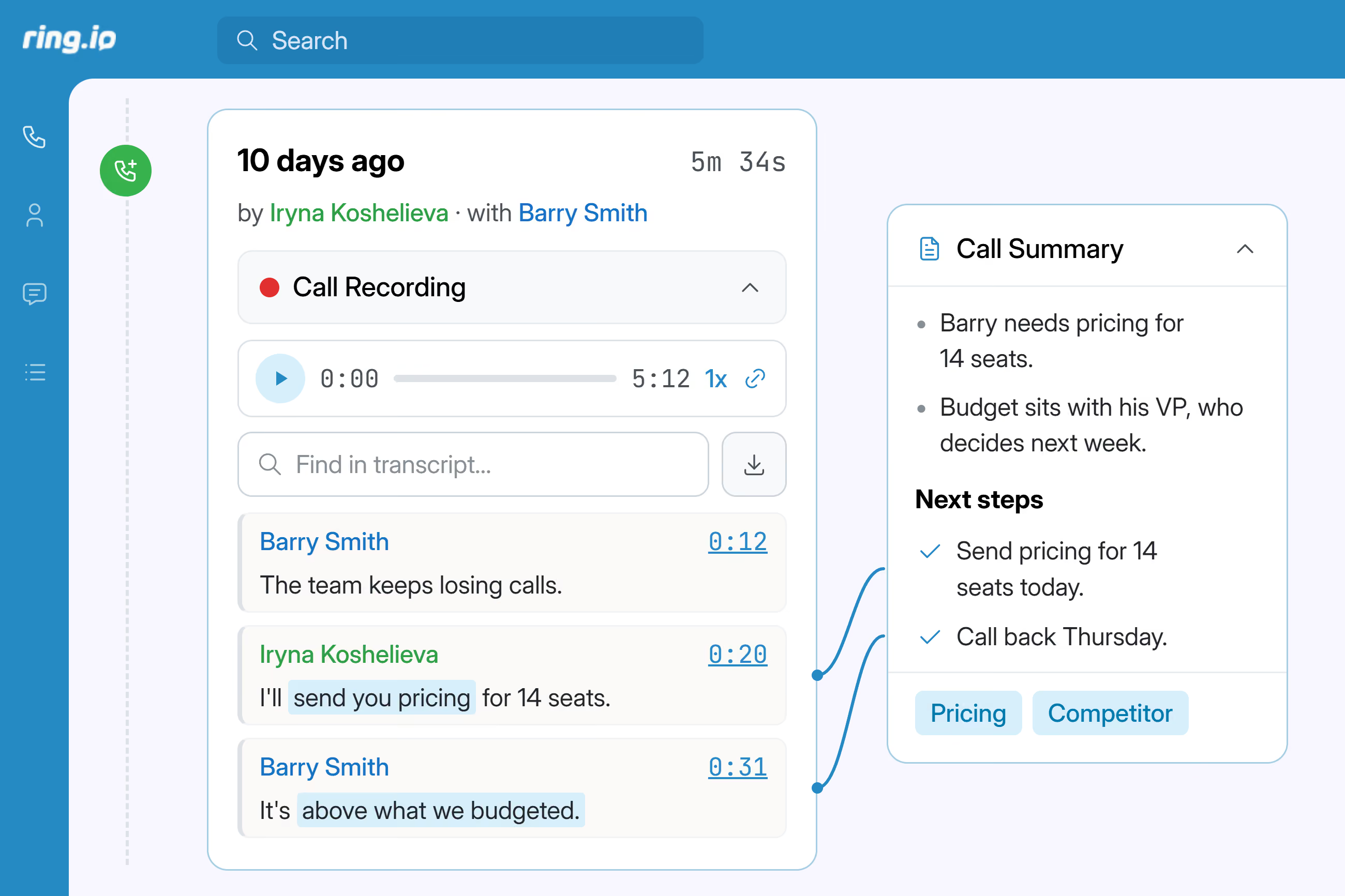
  2. A person answers. The call is recorded and transcribed.
  3. AI analyzes the transcript and checks whether your target outcome happened: a meeting booked, a sale made, information requested, or a custom outcome we set up with you.
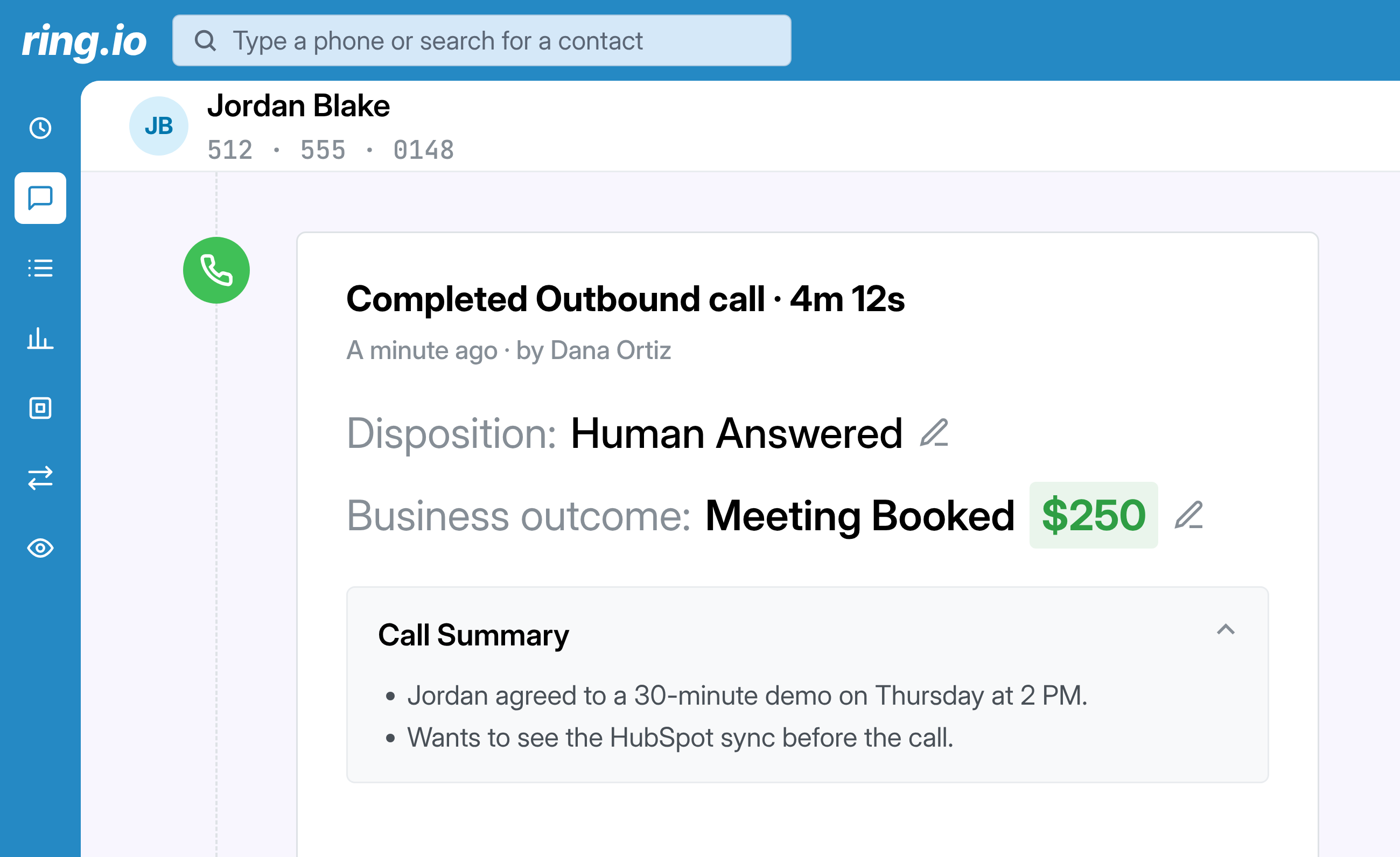
  4. If it did, the outcome and its dollar value appear on the call record as Business outcome. Reps and managers can edit it there.
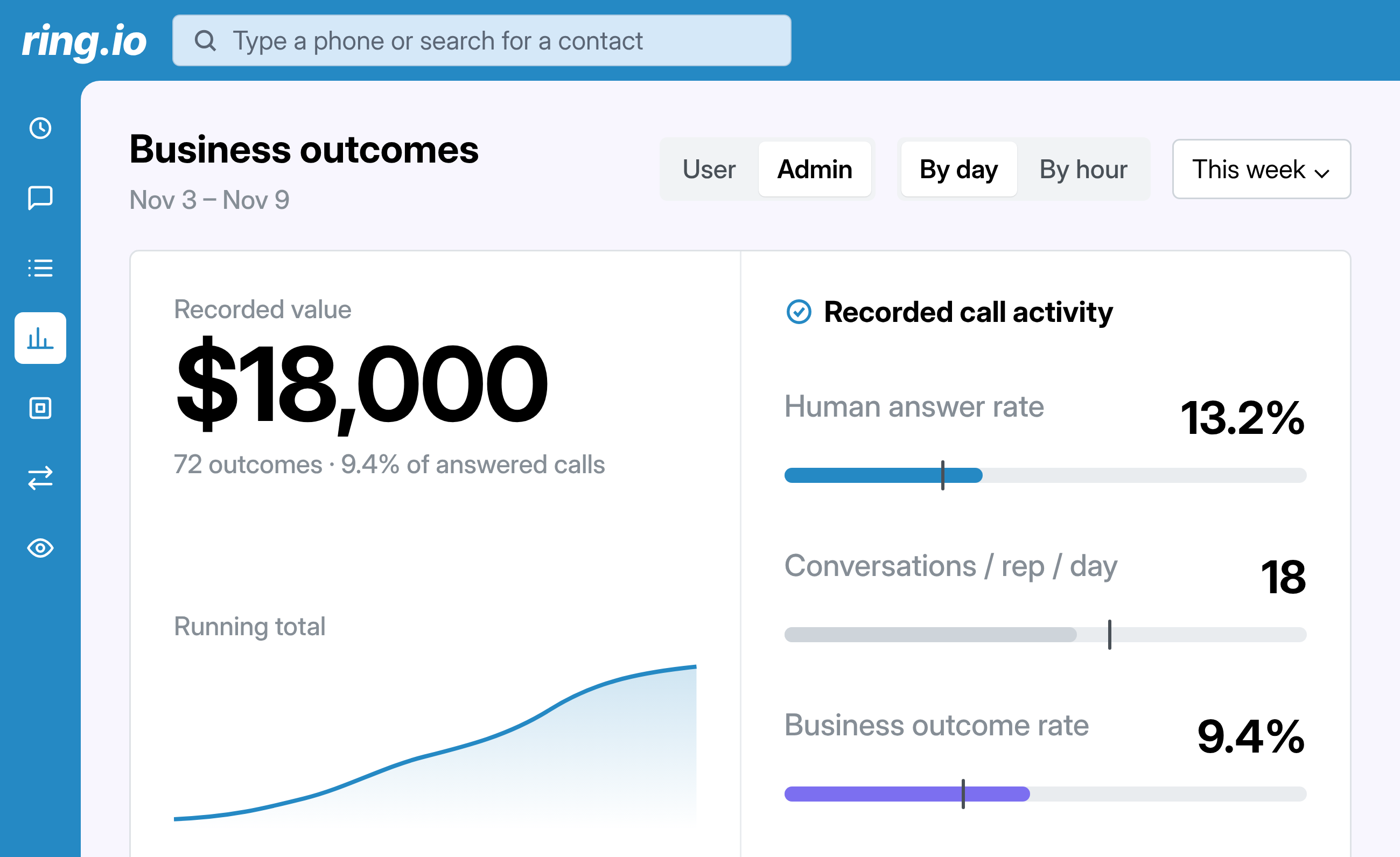
  5. The Business outcomes dashboard adds it to the totals by rep, team, phone number and hour, and to the funnel: calls made, calls a person answered, calls that produced the outcome.
  6. If you choose, the outcome and its value are sent to a field in your CRM. You pick the field; we set up the mapping.

Good to know:

  • Outbound calls only.
  • One target outcome per account at a time.
  • Values are in US dollars.

benefits

From a conversation to a dollar figure

AI tags the outcome, your value is applied, and the dashboard adds it up.

Every conversation gets an outcome

When a rep's outbound call reaches a person, Ring.io analyzes the transcript and tags what happened: meeting booked, sale made or information requested. Nobody picks it from a list after hanging up. If the tag is wrong, the rep or a manager changes it in one click on the call.

You decide what an outcome is worth

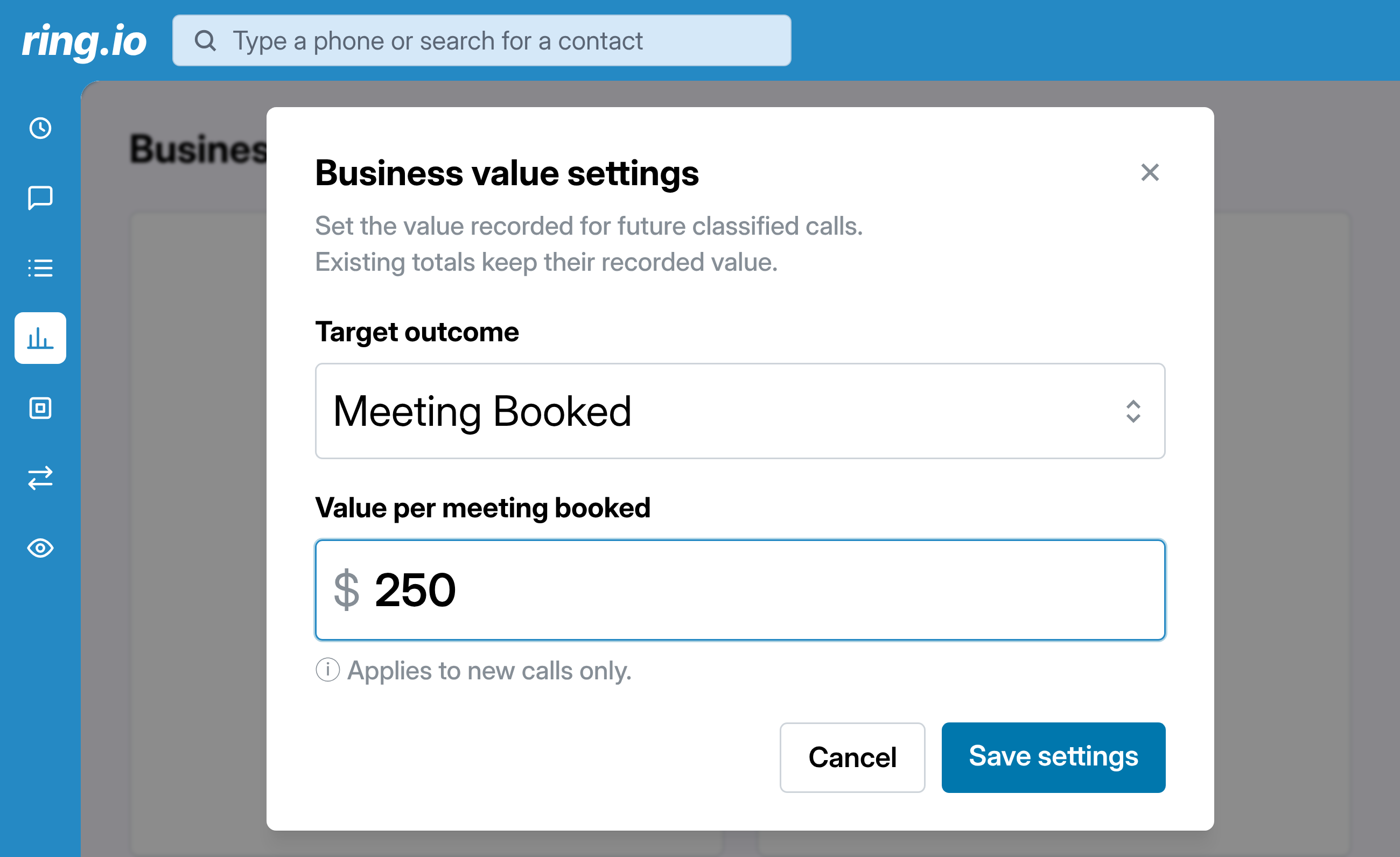
Pick your target outcome and set what it is worth: what a booked meeting means to you, or what a sale brings in. A new value counts for new calls; past totals keep the value they were recorded with. Need an outcome of your own, like a demo or a trial started? Our team sets it up for your account.

See value by rep, team, number and hour

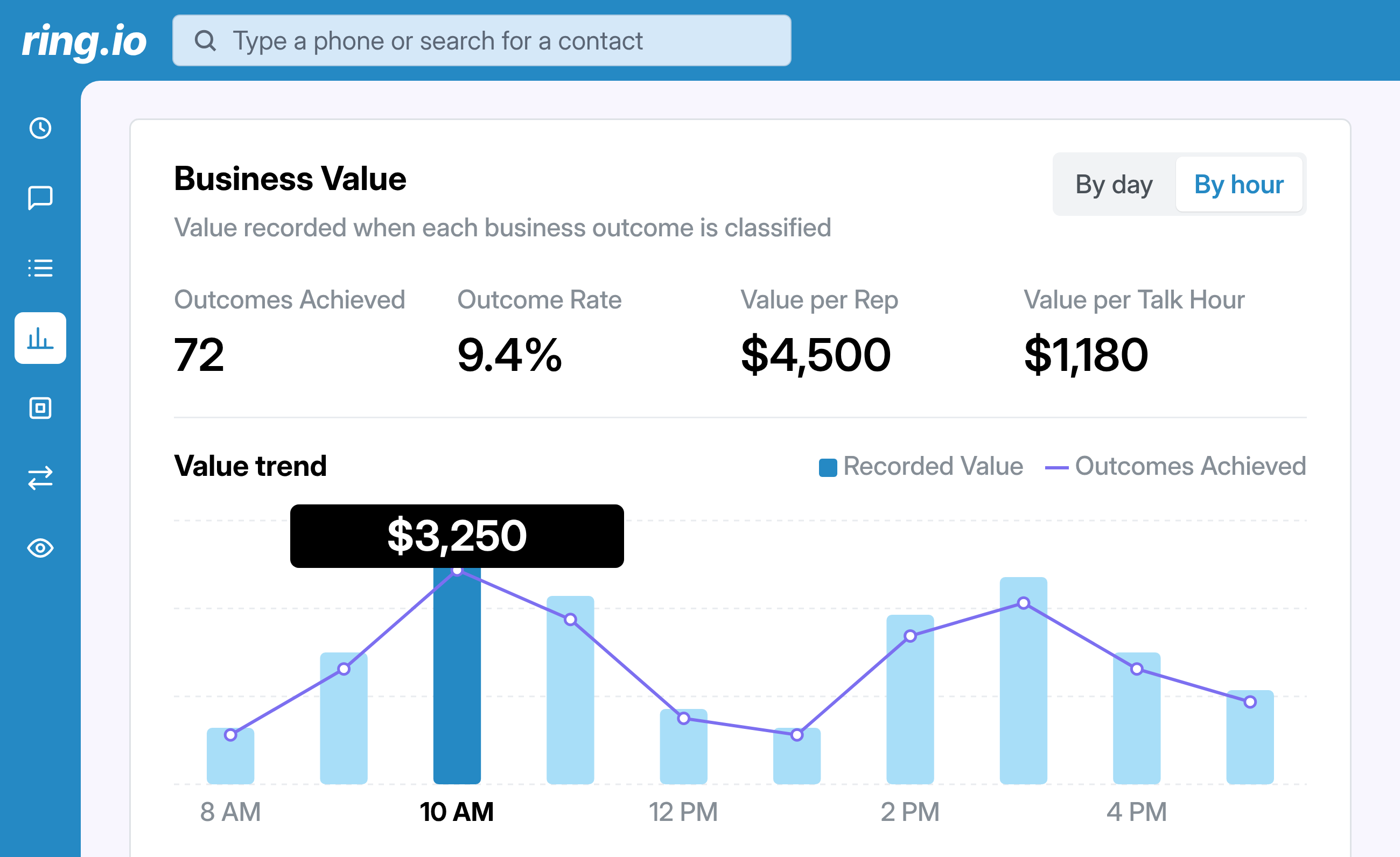
The Business outcomes dashboard multiplies every tagged outcome by its value and adds it up. Break it down by rep, team, phone number or hour of the day, next to how many calls a person answered. You see each rep's pipeline contribution, not just their dial count.

Credit for results, not for volume

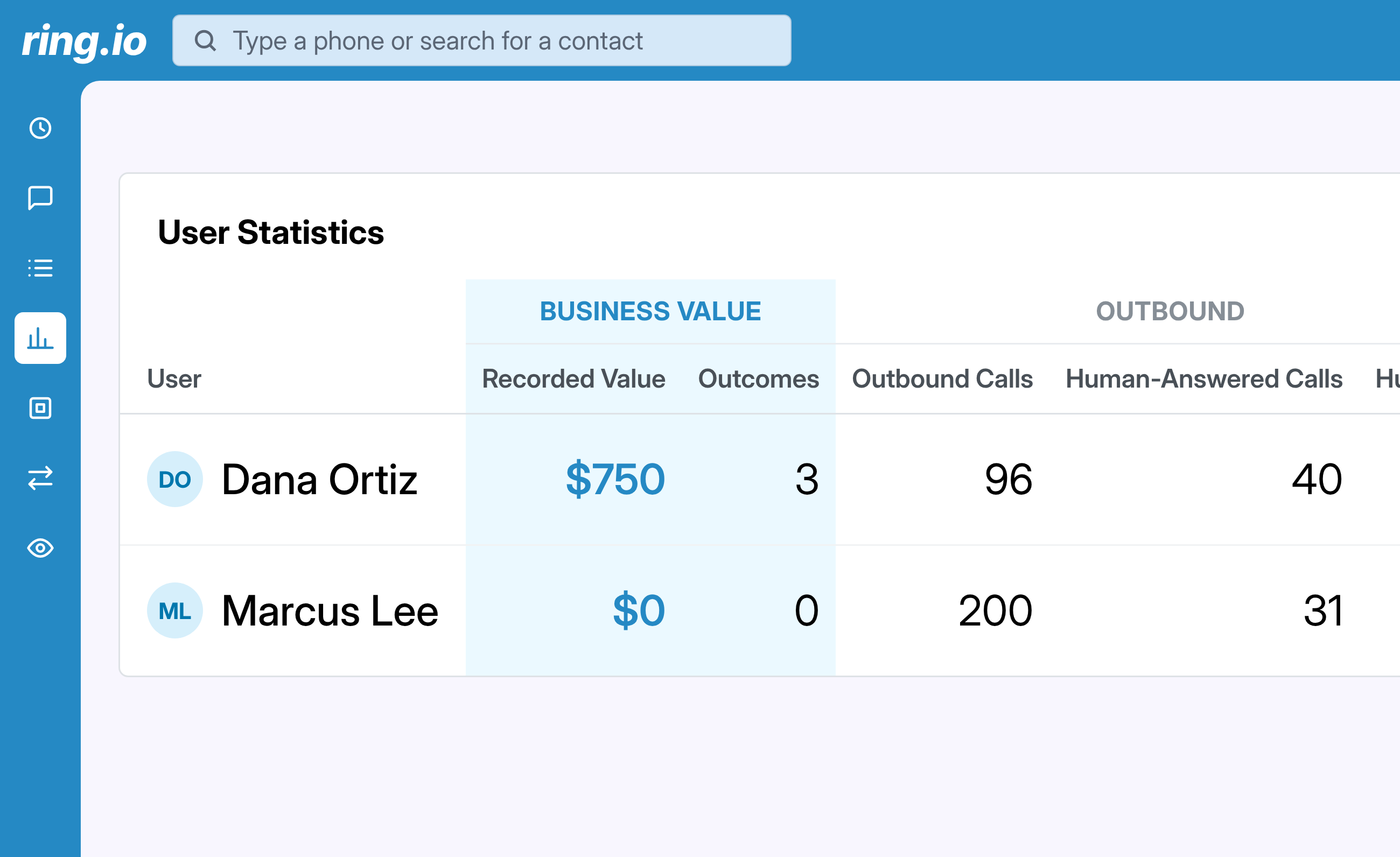
Picture two reps: one books three meetings from forty conversations, the other makes two hundred dials and books none. Here, the first one ranks ahead. The value tracked here is what a call is worth to your company, kept separate from what you pay in commission.

Reach people, not inboxes.

Calls, email and SMS as steps in one sequence, run from inside your CRM. Start free on one rep, or take 21 days free on a team plan.

FAQs

Track Business Outcomes

Which outcomes can Ring.io track?

Three are built in: meeting booked, sale made and information requested. If your business counts something else, such as a demo held or a trial started, our team sets up a custom outcome for your account. Each account tracks one target outcome at a time.

How does Ring.io decide the outcome of a call?

After an outbound call that a person answered, AI analyzes the call transcript and checks it against your target outcome. If the outcome happened, Ring.io tags the call and applies the dollar value you set. AI can get it wrong, so every tag can be edited.

Can reps or managers change an outcome?

Yes. On the call screen, right after the disposition, Business outcome shows with a pencil icon. Reps and managers can both edit it, and the dashboard totals update.

Can the outcome and its value go to my CRM?

Yes. Tell us which CRM field should hold the outcome and its value, and we set up the mapping for your account.

Does it work on inbound calls?

Not yet. Outcome tracking runs on outbound calls only, including calls made from the Power Dialer.

Can I set values in my own currency?

Not yet. Outcome values are in US dollars.

Which plans include business outcome tracking?

Business outcome tracking is included on the Growth and Enterprise plans.